Every ad platform publishes its own spec sheet, and most of them run several pages. For designers and the teams briefing them, that's a lot of reading to answer one question: what sizes do I actually need to make?
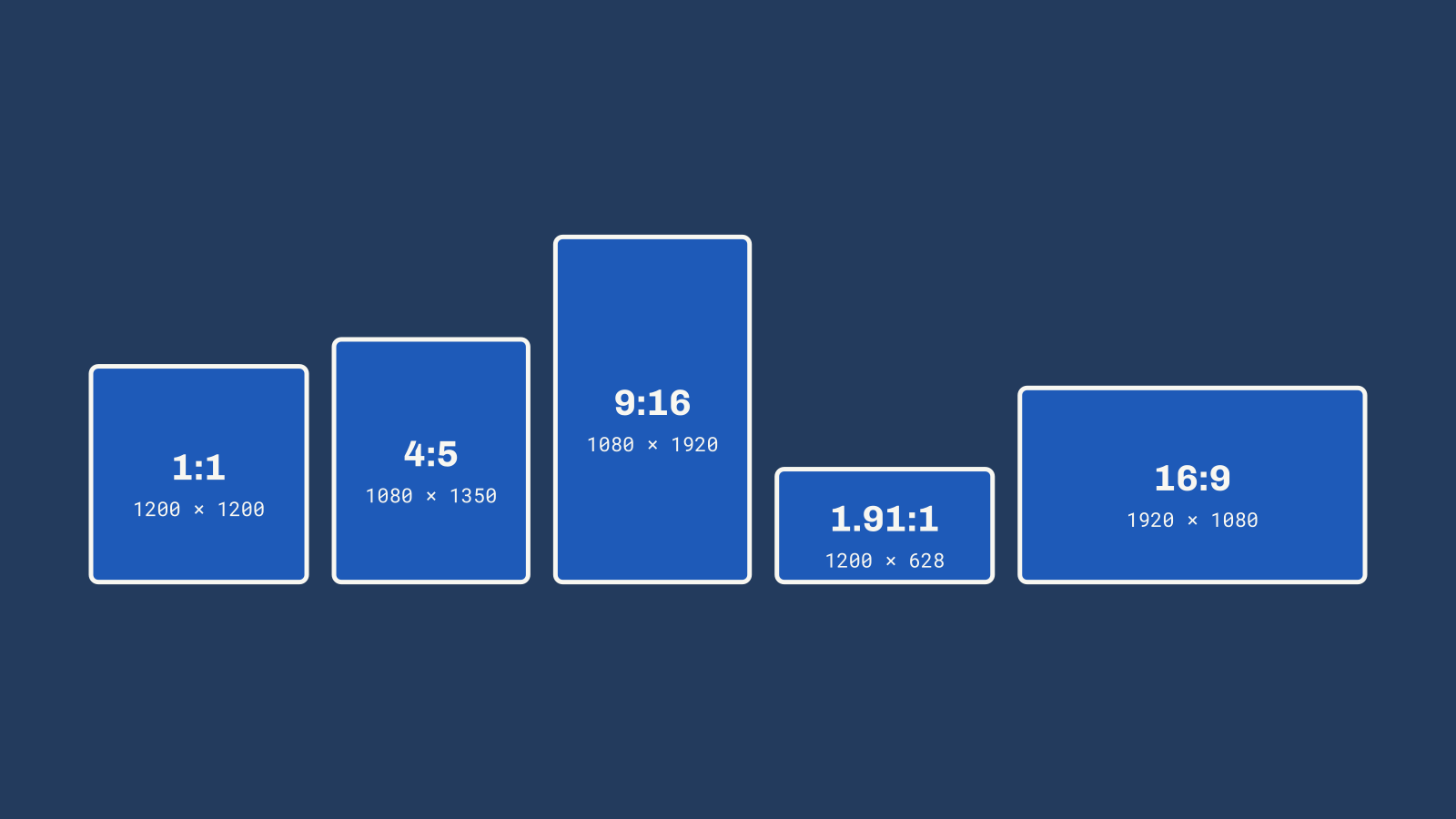
For Google Ads and Meta Ads, the answer is short. Four image sizes and three video sizes cover nearly every placement on both platforms. Here's the list we hand our own designers, plus the safe zones that keep your headline and logo from getting covered up.
The Short List
Images
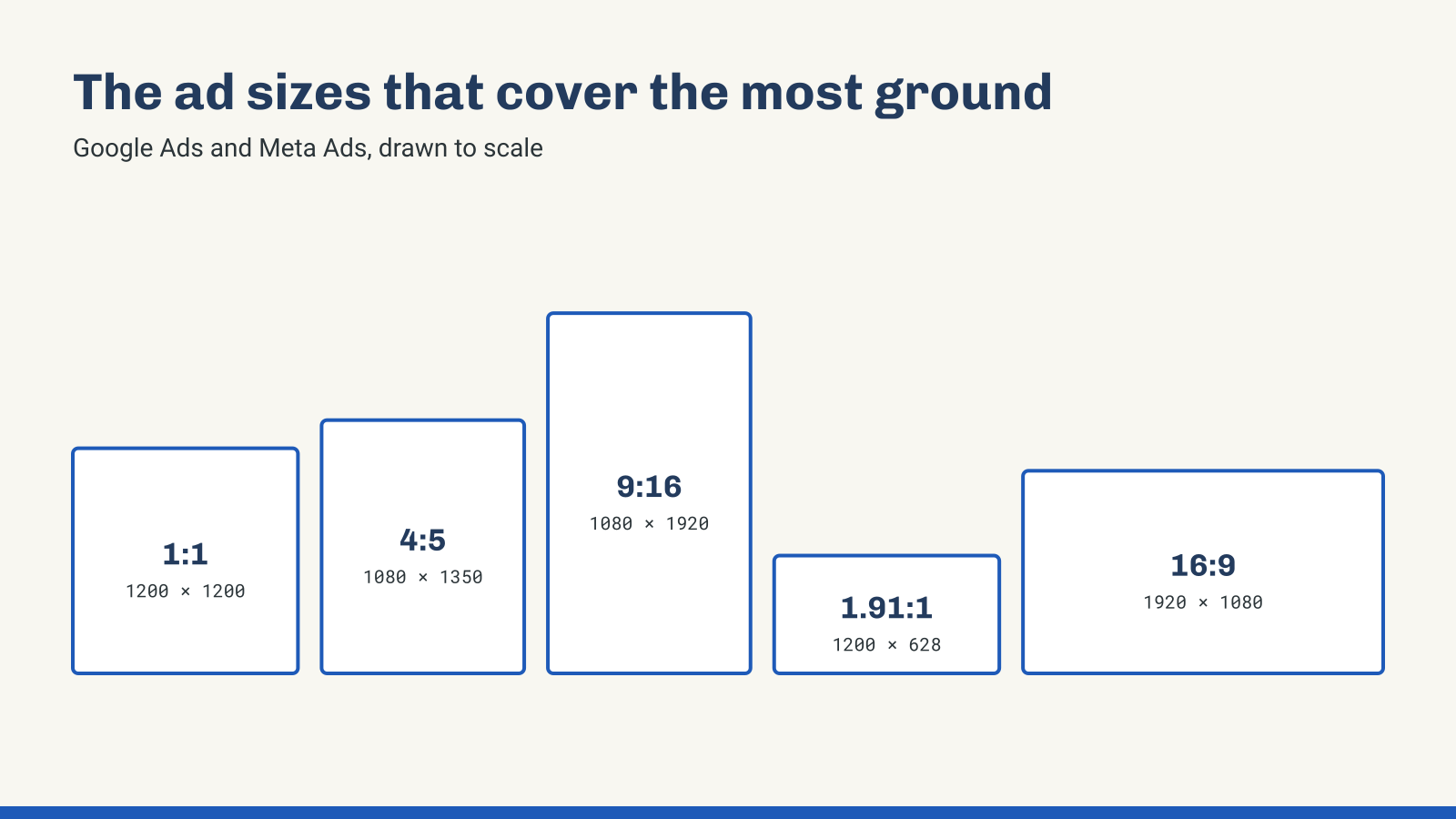
- Square 1:1, 1200 × 1200. Required for Google Performance Max, used in Demand Gen and responsive display ads, and still accepted across Meta.
- Vertical 4:5, 1080 × 1350. The default for Facebook and Instagram feeds, and accepted in Google Demand Gen and Performance Max.
- Vertical 9:16, 1080 × 1920. Meta Stories and Reels, plus Google Demand Gen placements like YouTube Shorts.
- Landscape 1.91:1, 1200 × 628. Required for Google Performance Max and used across Demand Gen and responsive display ads.
Video
- Vertical 9:16, 1080 × 1920. Reels, Stories, Shorts and Performance Max.
- Vertical 4:5, 1080 × 1350. Facebook and Instagram feeds and Google Demand Gen. If you run Performance Max, add a square 1080 × 1080 version, since Performance Max asks for square, vertical 9:16 and horizontal 16:9 video rather than 4:5.
- Horizontal 16:9, 1920 × 1080. Google Ads Video (YouTube) in-stream and Performance Max.
For Google, round it out with a square logo at 1200 × 1200 and, if you have one, a landscape 4:1 logo at 1200 × 300. Skip white logos on transparent backgrounds, since Google often shows logos on white.
Vertical 9:16: Mind the Safe Zone
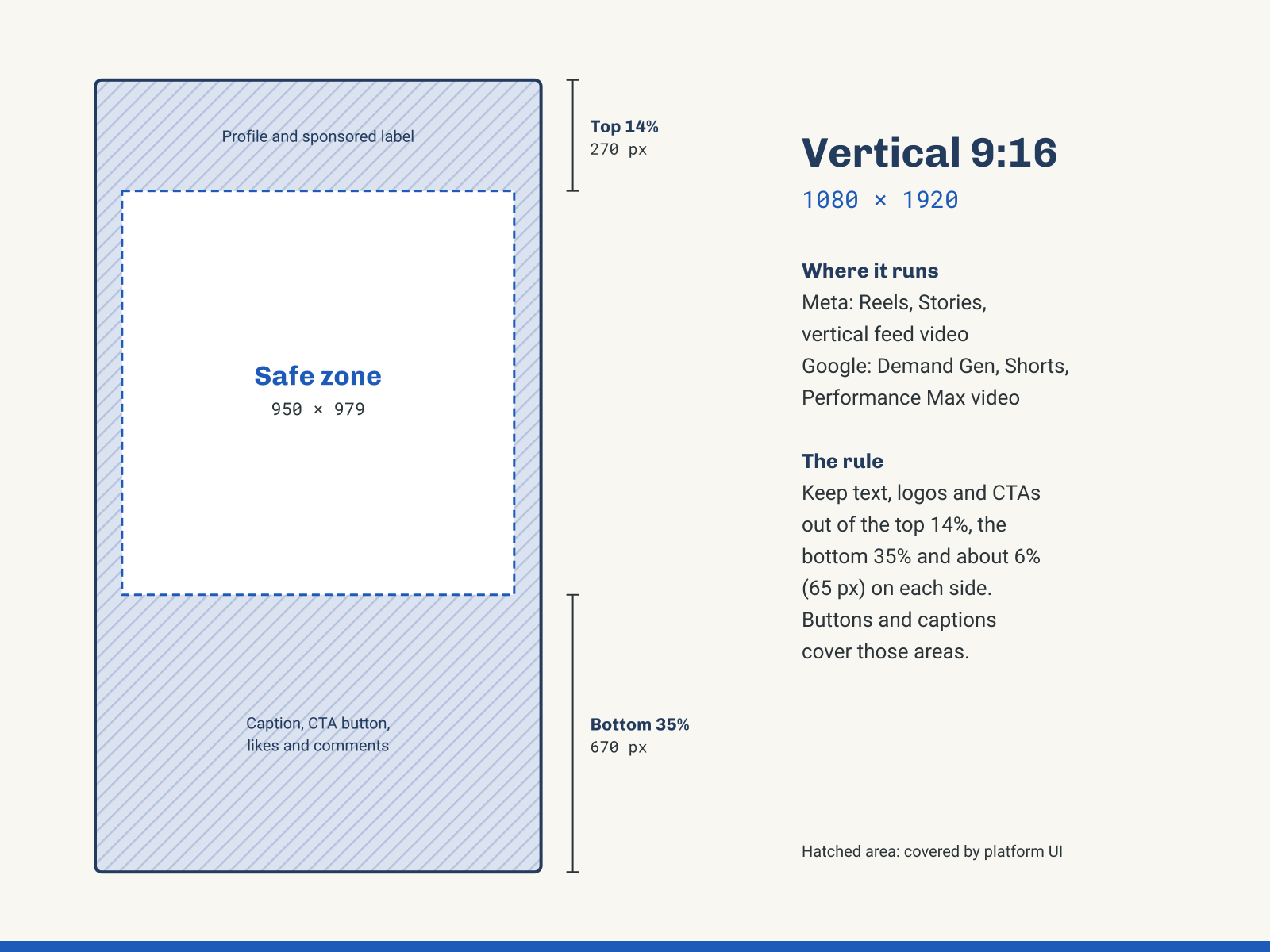
Vertical is where good creative most often goes wrong. In Reels and Stories, the platform lays its own interface over your ad: the profile name and sponsored label up top, and the caption, call-to-action button, and like and comment icons along the bottom and right side.
Meta's guidance is to keep text, logos and key visuals out of roughly the top 14% and bottom 35% of the frame, with about 6% clear on each side. On a 1080 × 1920 canvas, that leaves a safe zone of about 950 × 979 pixels in the middle. Ads Manager also shows a safe zone overlay when you preview Stories and Reels, so check there before you launch.
YouTube Shorts places its own buttons and text in similar spots. Google publishes downloadable safe zone overlays for vertical, square and horizontal video, and they're worth dropping into your design file.
Feed Images: Design Vertical, Protect the Center
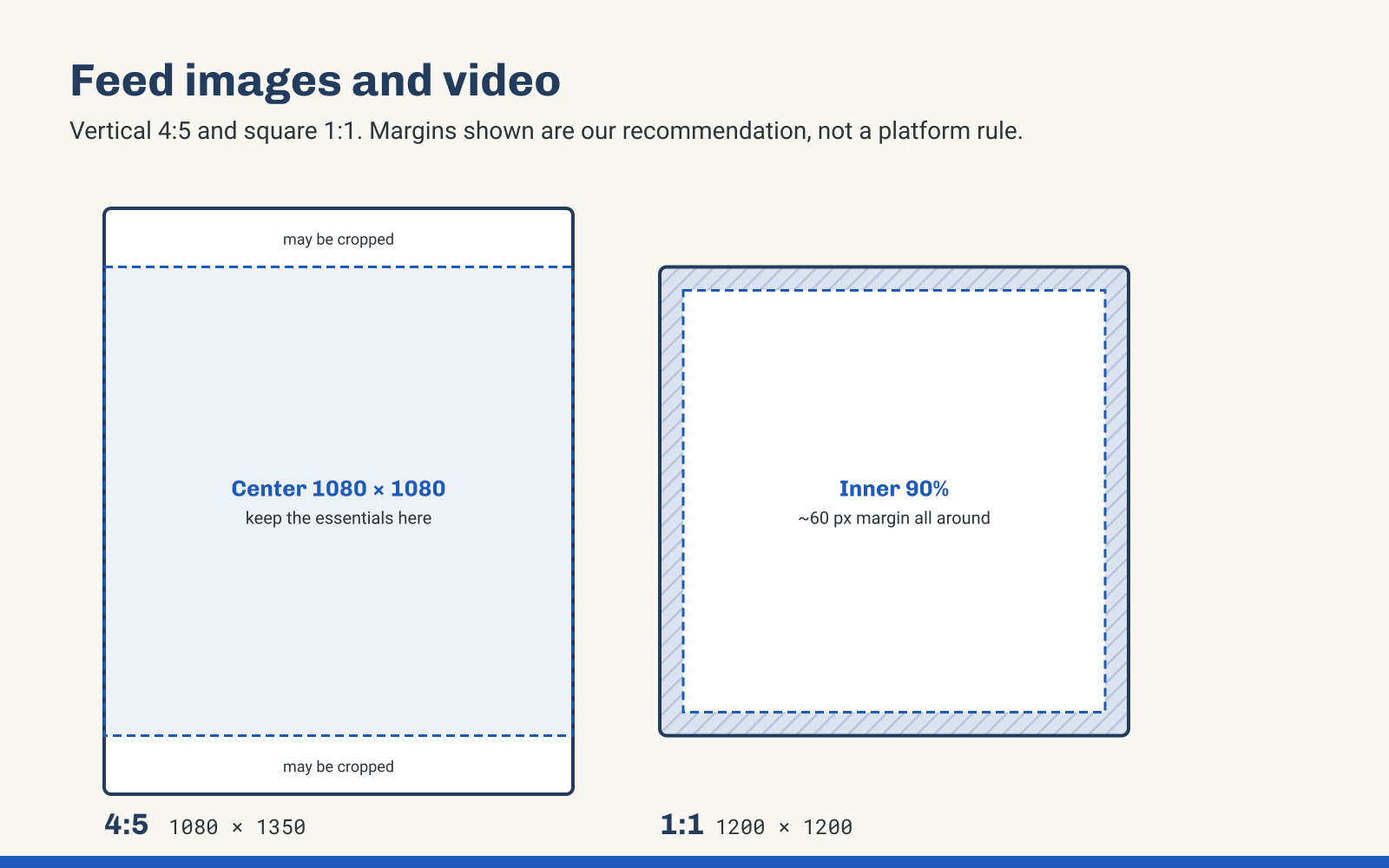
In the feed, 4:5 fills more of the phone screen than a square, which is why it's become the Meta default. Some placements crop vertical images down to a square, though, so keep your headline, product and logo inside the center 1080 × 1080 of the frame. If it reads there, it reads everywhere.
For square images, leave a little breathing room. We keep text and logos about 60 pixels in from every edge. That's our rule of thumb rather than a platform requirement, but it keeps your message clear of rounded corners and overlays.
Landscape: Keep It Centered and Keep Text Light
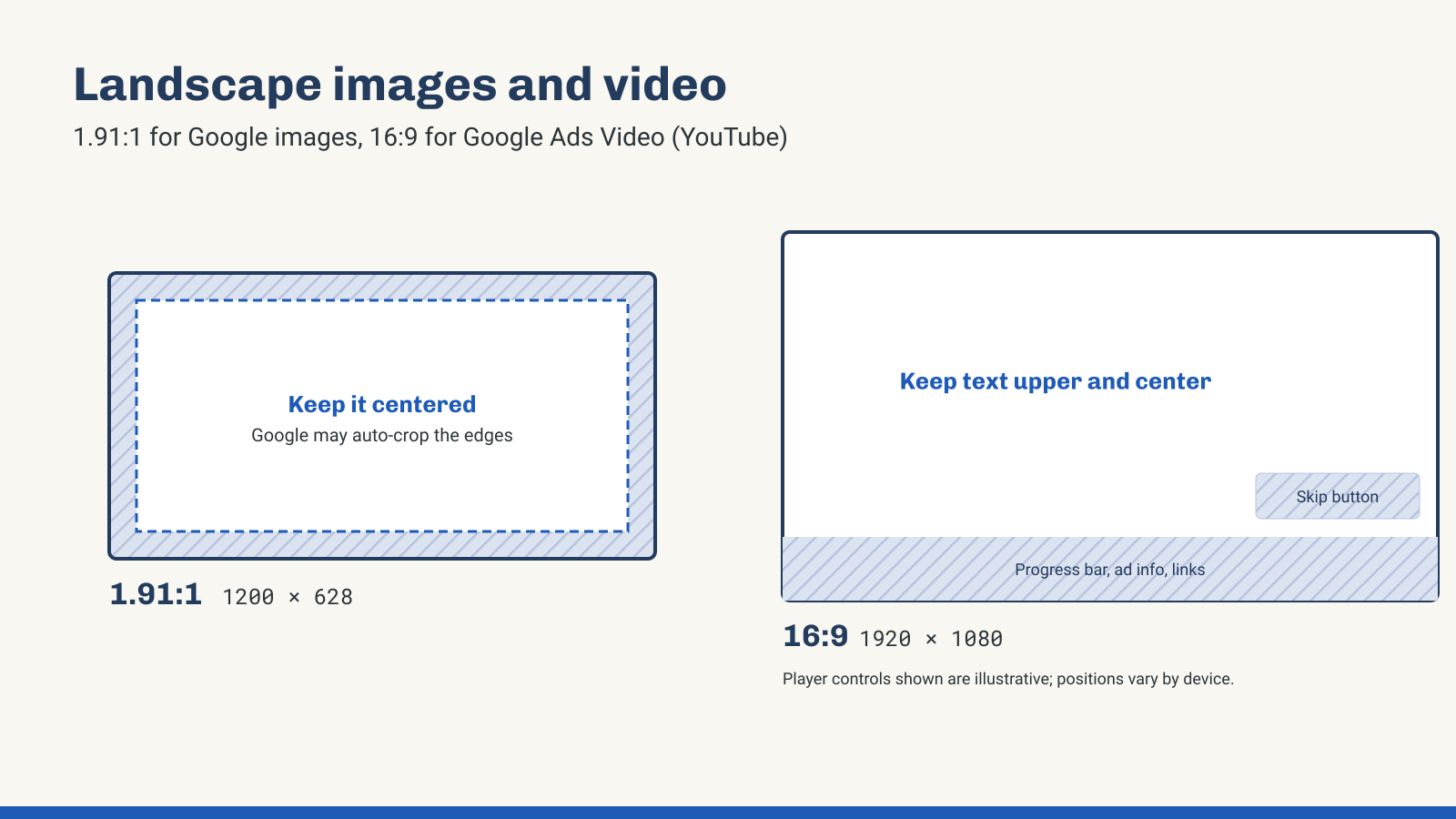
Google requires at least one landscape image and one square image for Performance Max, and it uses them across Display, Gmail, Discover and YouTube. Google may crop or resize images for different placements, so keep your subject centered and away from the edges.
Go easy on text in Google images. Google handles your headlines and descriptions as separate text assets and recommends keeping text overlays minimal. Headlines, badges and logos baked into an image can also keep it from serving in some formats. Save the message for the text fields and let the image do the visual work.
For 16:9 video on Google Ads Video (YouTube), the player puts a progress bar, ad info and links along the bottom, with the skip button on the lower right. Keep on-screen text in the upper and middle part of the frame, and get your brand on screen in the first five seconds, before viewers can skip.
A Few Rules That Apply Everywhere
- Design at the recommended size, not the minimum. Platforms accept smaller files, but they scale them up, and it shows.
- Watch file size. Google image assets max out at 5 MB, so export compressed JPGs or PNGs rather than print-resolution files.
- Make Google videos at least 10 seconds. Performance Max asks for 10 seconds or more, and videos under 10 seconds can't run as in-stream ads on Google Ads Video (YouTube).
- Give every size its own layout. Letting a platform auto-crop one image into every shape is the fastest way to lose a headline. Build each size on purpose from the same design.
- Upload every orientation you can. Performance Max reaches its best Ad Strength when you supply horizontal, square and vertical video. If you don't, Google may generate its own videos from your other assets.
Keep This Handy
Ad specs change several times a year as platforms add placements and adjust their interfaces. We review this guide every quarter and update it when Google or Meta make a change.
Last updated November 2026.
Ready to put this into practice?
Let's Talk